Ditching the Mobile Git Plumbing: How Antigravity and Custom Skills Replaced My Entire Phone Publishing Stack
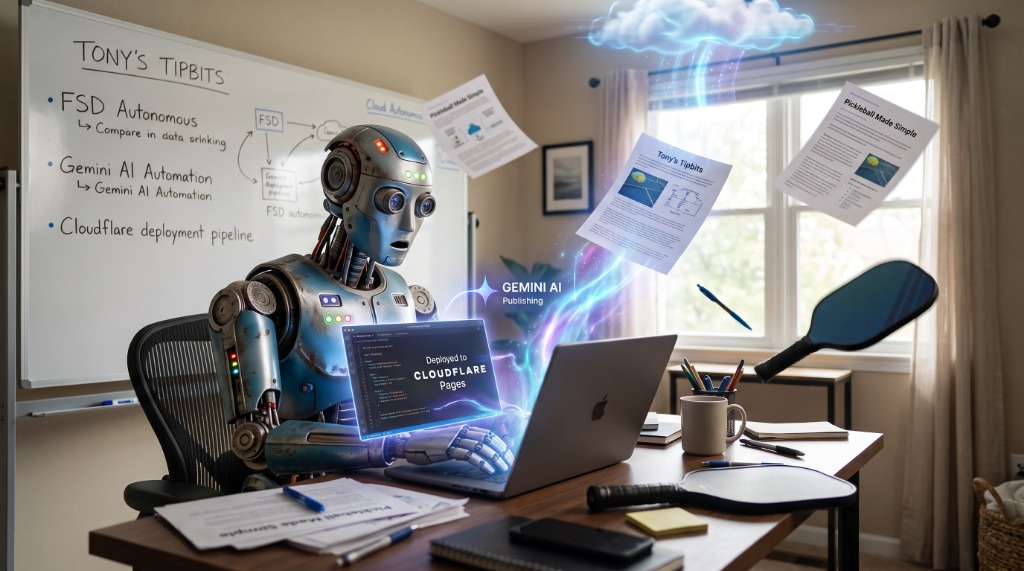
Every engineer has that one workflow they over-engineer into a temporary monument of technical stubbornness.
For me, that monument was mobile blog publishing.
If you followed my previous posts, you know the saga. I wanted the holy grail: sitting on the couch or standing in a grocery line, jotting down thoughts on my phone, and having an automated static engine ship it to tony.trinhism.com on Cloudflare Pages without touching a terminal.
First came GitJournal. It looked promising until basic YAML frontmatter customization was held hostage behind an arbitrary paywall.
So, being a stubborn systems guy, I bypassed it and built an entire mobile GitOps workstation inside Obsidian. I paired the community Git plugin with custom Templater JavaScript macros to auto-slugify files from Properties cards, chained fine-grained GitHub Personal Access Tokens, and carefully dodged cellular packfile corruption traps.
It worked. It was slick. It was also, in hindsight, an absurd amount of plumbing and pure frustration to maintain on a 6.7-inch glass rectangle.
The Hidden Frustration of Mobile Git Plumbers
The dirty secret of running a full Git repository on your phone isn’t the initial setup—it’s the constant, recurring frustration.
Mobile file systems don’t care about your clean developer ergonomics. A momentary drop in cellular signal during an isomorphic-git background sync, and suddenly you’re staring at an unmerged binary image conflict or an ugly conflict-files-obsidian-git.md dumped into your vault root.
Worse, you still had to be the administrative gatekeeper. You had to remember which tags were in site-taxonomy.md, make sure your YAML syntax didn’t have unescaped quotes, verify date formats, and run Templater macros before closing the app.
I tried mitigating this with a hybrid approach: dumping raw ideas into structured GitHub Issues from my phone and having desktop Gemini parse them later. That cut down some of the headache, but it still required an evening desk session to actually package, compile, and ship the post.
I didn’t want a better mobile Git client. I wanted an autonomous partner who already knew how I write, understood my repository architecture, and could handle the entire deployment handshake from anywhere.
Enter Google Antigravity, paired with Gemini on the go and a custom blog-publishing skill.
Stage 1: On-the-Go Ideation with Gemini
The mobile part of my process is now genuinely fun.
Whenever inspiration strikes—whether I’m waiting for tennis practice to start, sitting in the school pickup line, or pacing the house—I open Gemini on my phone.
Gemini serves as my on-the-go creative sounding board. I bounce raw ideas off it, flesh out outlines, test analogies, and draft arguments. I don’t care about YAML frontmatter, file slugification, image directories, or formatting syntax. I just focus purely on ideating, synthesizing technical concepts, and capturing the story while it’s fresh in my head.
Once the draft has shape, I don’t paste it into a fragile mobile Obsidian vault or wrestle with mobile Git sync.
I hand it straight to Antigravity.
Stage 2: Codifying Myself into an Antigravity Skill
The breakthrough didn’t come from finding another mobile app; it came from moving the intelligence and execution out of my pocket and into an agentic workflow on my workstation.
In Antigravity, you can build modular workspace skills that define not just procedural instructions, but persona, voice, and behavioral guardrails. I codified my entire publishing blueprint directly into .agents/skills/blog-publishing/SKILL.md and GEMINI.md:
- My Personal Voice & Operating Blueprint: The skill embeds my exact style—witty, direct, pragmatic dad energy, systems-oriented, zero meta-announcements, and an uncompromising focus on clean mechanics and practical, earned takeaways over flowery prose.
- Automated Repository Hygiene: The agent autonomously checks
content/en/knowledgebase/site-taxonomy.md. If a topic needs a tag or category that doesn’t exist, it has a strict hard-stop rule: pause and ask me before polluting the site taxonomy. - The Metadata Handshake: It strips duplicate H1 headers from Markdown bodies, writes clean 1–2 sentence preview summaries, calculates web-compliant slugs, checks image directories, and formats the YAML block flawlessly.
- The Explicit Approval Gate: It calculates the target file path, renders the full draft, and waits for a decisive “approved, commit, push” before touching the filesystem or Git tree.
Stage 3: Remote Control (The Couch-to-Cloud Pipeline)
The missing link that permanently killed my mobile Obsidian stack was Antigravity’s Remote Control.
I don’t need Obsidian on my phone anymore. I don’t need mobile Git plugins, Personal Access Tokens, or background sync daemons.
My primary Antigravity environment runs locally on my desktop workstation where the actual repo, Hugo compiler, and Git toolchain live. Using Antigravity Remote Control from my phone’s browser, I have direct, authenticated access to that local agent from anywhere:
[Phone: Gemini App]
        │  (Brainstorming, drafting, ideation on the go)
        ▼
[Phone: Antigravity Remote Session]
        │  (Paste draft; activates blog-publishing skill)
        │  (Validates taxonomy against site-taxonomy.md)
        │  (Formats YAML & calculates slug filename)
        ▼
[Review & Approval Gate] ──> "approved, commit, push"
        │
        ▼
[Local Workstation Execution]
        │  (Writes content/en/posts/<slug>.md)
        │  (Semantic Git commit & rebase)
        │  (Local 'hugo' compilation test: 0 errors)
        ▼
[GitHub origin/main] ──> [Cloudflare Pages Global Deploy]
What the Workflow Looks Like Now
Publishing a new article from my phone used to involve four apps, two manual macros, and praying that git push wouldn’t throw a merge conflict.
Today, the entire process is completely painless:
- Ideate with Gemini: I brainstorm and write on my phone with Gemini, shaping my raw thoughts into a solid draft.
- Drop into Remote Control: I open the Antigravity remote browser interface on my phone and paste the draft.
- Autonomous Assembly: Antigravity matches the request, activates the
blog-publishingskill, checks my taxonomy, writes the SEO description, verifies the header image instatic/images/, and formats the post in my exact tone. - The Approval: It hands me a clean preview with the exact slug filename and asks for permission.
- The Ship: I reply “approved, commit, push”. Antigravity writes the file, creates a clean semantic commit (
feat(post): ...), pulls with rebase to stay in sync, pushes to GitHub, and runs a localhugobuild to ensure zero compilation regressions.
Within 30 seconds, Cloudflare Pages picks up the commit webhook and deploys the article live across the edge network.
The Real Lesson: Elevating the Abstraction Layer
Looking back at my mobile Obsidian setup, I don’t regret building it. It was a fun engineering puzzle, and solving the edge cases taught me a ton about mobile Git constraints.
But as engineers, our goal should always be to eliminate frustration, not just build cooler Rube Goldberg machines.
Running a miniature Git engine on a phone was the best we could do when mobile tools were dumb text editors. Now that we have Gemini for on-the-go creative ideation, and Antigravity running alongside our codebases with custom skills and remote control, the old mobile Git plumbing feels obsolete.
Gemini handles the ideation. Antigravity handles the execution.
The frustration is completely gone.