Parallel Thinking: How I Stopped Babysitting My Code and Started Orchestrating It
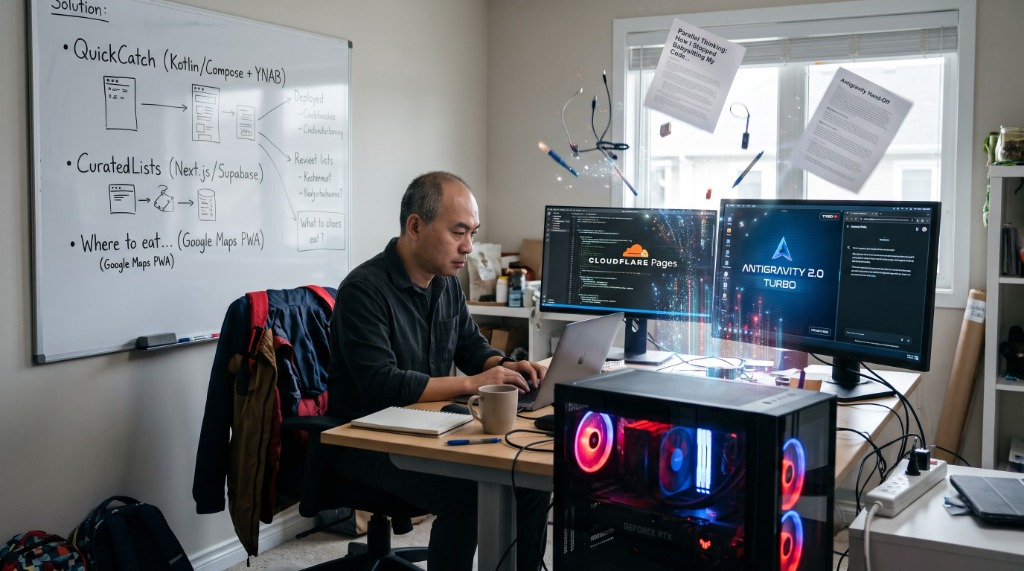
Have you ever sat staring at a build bar, waiting for a server to deploy, or watching an AI bot slowly generate a script, thinking: Is this really the cutting edge?
For years, we traded the “compiling code” coffee break for the “babysitting the AI prompt” staring contest. We would write a prompt, watch it generate, debug its output, nudge it, wait again, and finally apply it.
Lately, my development workflow has undergone a seismic shift. I don’t wait on my tools anymore. I run them in parallel—waiting for kids’ activities or school pickup, in the waiting time for dinner, or sitting down while my family shops.
Here is how I went from “writing code” to “orchestrating a symphony” using Gemini, parallel workflows, and a remote-accessible antigravity setup.
Step 1: Deep Ideation in Gemini Web (The Requirement Grab)
Before touching an editor or triggering a script, I go deep into Gemini Web. I treat the chat window like an expert product manager who never sleeps and has infinite patience.
I start with a messy, raw idea across the Trinhism Labs companion app suite:
- Streamlining personal budgeting by hooking Kotlin and Jetpack Compose directly into the YNAB API for QuickCatch .
- Calibrating elective deferral math against IRS federal limits in the 401(k) Optimizer .
- Stripping clutter from desktop stock and crypto tracking with FinanceWidget .
- Managing blind schedules, countdown timers, and payout tables with the Poker Tournament Director and Cash Game Director .
- Architecting dynamic rankings, editorial showcases, and sensory tier boards on CuratedLists .
- Spinning up a fast, mobile-first Google Places PWA to solve the indecisive dinner dilemma with Where to eat… .
From there, we interrogate the idea:
- We poke holes in the logic and flow.
- We identify every edge case, state management trap, database schema, and potential API bottleneck.
- I provide historical context, like my existing architecture patterns, component design systems, or Cloudflare Pages setup.
This isn’t about getting immediate, throwaway code; it is about gathering bulletproof requirements. By the time we finish the chat, we have a robust technical blueprint that anticipates the gotchas before a single file is touched.
Step 2: Parallel Kicking Across Projects in Antigravity 2.0
Once the blueprint is set, I ask Gemini Web for the exact Antigravity prompt engineered from our requirements. I take that prompt and feed it directly into the Antigravity 2.0 desktop app.
I used to rely on the Antigravity IDE for this phase, but lately I’ve placed much more trust in the 2.0 desktop version and its Turbo mode to help me iterate significantly faster. Flipping on Turbo mode strips away the manual approval bottlenecks, meaning I am not stuck hovering over the screen waiting for confirmation dialogs or watching every individual line write out.
With active builds across the Trinhism Labs portfolio organized side by side in the app, I can easily jump across projects. While Antigravity executes an autonomous refactor on QuickCatch in the background, I switch to CuratedLists or “Where to eat…” to drop fresh prompts, refine schema logic, and keep parallel iterations moving forward simultaneously.
Instead of a single-threaded workflow where one roadblock halts your entire day, it becomes a concurrent assembly line. You move smoothly from project to project, constantly shipping and iterating across your entire stack without ever hitting pause.
Step 3: Leaving “Antigravity” Running on the Gaming Rig (The Mobile Workaround)
Here is where the setup becomes genuinely powerful. I don’t run these heavy, resource-intensive AI pipelines on a lightweight travel laptop. Instead, I leave antigravity running around the clock on my high-spec gaming machine back home.
My gaming rig serves as a powerhouse local server. By leaving the antigravity framework live on that machine, I am no longer chained to my desk.
No matter where I am—waiting for kids’ activities or school, waiting for a table at dinner, or sitting down while my family shops—I can remote connect back to my gaming rig from any lightweight portable device.
Because the antigravity pipeline is always active, I easily bridge into it, feed it a prompt, and let the heavy lifting happen on my home GPU while I am out and about. It means I am literally improving, testing, and iterating on my apps as I go, directly from the palm of my hand.
Step 4: Cloudflare Flight (Shipping to Production in the Background)
Once Antigravity finishes chewing through the build in Turbo mode, the last mile takes care of itself. I don’t sit around running manual builds, wrangling local configs, or babysitting deployment dashboards.
The pipeline wraps the code generation, runs the sanity checks, commits to Git, and triggers an automated deployment directly to Cloudflare Pages. By the time I wrap up whatever real-world task I was doing—whether paying the restaurant tab, loading the car, or walking back from school pickup—the updates are already live on production. It closes the loop from raw thought to live deployment without a single manual release step.
Why This Matters
This is not just about saving five minutes here or there. It is about uninterrupted mental momentum.
When you constantly wait on your tools, your focus drifts. You check social media, grab another coffee, and lose your flow. But when you run multiple development tracks in parallel—ideating on the web, remote-orchestrating on a powerhouse machine, and letting automated pipelines handle deployments—you never drop the thread.
You stop being a typist. You become a director, constantly building, shipping, and iterating no matter where the day takes you.